
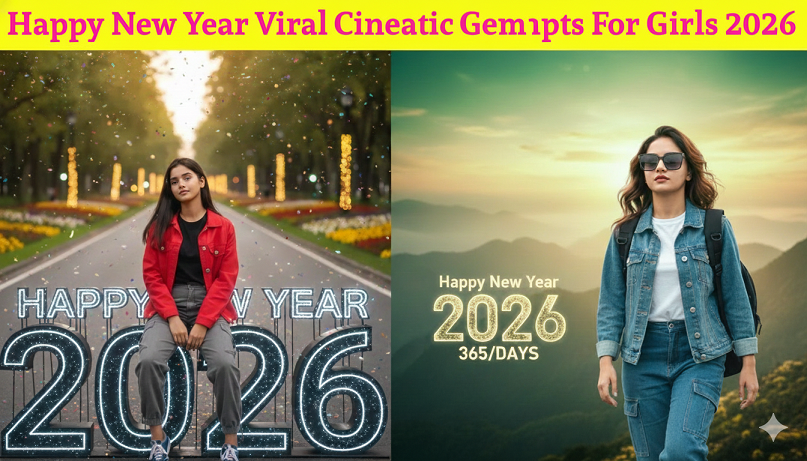
Happy New Year 2026 Photo Editing with Gemini: Creative Prompts for Girls
In 2026, Happy New Year photo editing with Gemini has evolved into a seamless blend of face-consistency and immersive world-building. Using the integrated “Nano Banana” (Gemini 2.5 Flash Image) model, you can now transform a simple selfie into a high-end cinematic masterpiece while keeping your facial features 100% authentic.
Here are the most creative 2026-themed editing prompts specifically designed for girls to create viral social media content.
1. The “2026 Glass Throne” (Viral 3D Trend)
This trend places you inside the numbers of the new year, using high-refraction glass textures.
Prompt: “Edit this photo to place me sitting inside a massive 3D ‘2026’ structure made of translucent prismatic glass. My outfit is transformed into a sleek silver chrome jumpsuit. The background is a dark penthouse balcony with blurred purple fireworks. Maintain my exact facial features and skin texture. 8k resolution, cinematic lighting.”
2. The “Sequined Midnight” (Fashion Editorial)
Focuses on the 2026 “Tactile Texture” trend—making clothes look incredibly detailed and reflective.
Prompt: “Transform my current outfit into a heavy gold sequined gown that reflects the surrounding light. Add a shower of falling glitter and gold confetti around me. The lighting should be ‘Butterfly Lighting’ to highlight my cheekbones. Keep my face natural and unedited. High-contrast, Vogue-style editorial aesthetic.”
3. “Cyber-Electric” Countdown (Neon Trend)
Perfect for a modern, tech-forward vibe using the “Digital Lavender” color of the year.
Prompt: “Change the background to a futuristic Shibuya-style street with ‘Happy New Year 2026’ glowing in holographic neon lavender signs. Add a soft neon rim light to my hair and shoulders. Film grain effect, anamorphic lens flares, 35mm film style, keeping my original face and expression intact.”
4. The “Vintage Polaroids” (Nostalgia Trend)
A collage-style edit that feels like a physical memory.
Prompt: “Edit my photo to look like a stack of vintage Polaroid pictures scattered on a wooden table. The top Polaroid shows me smiling, with a hand-written ‘Cheers to 2026’ in the corner. Add soft warm lighting, subtle light leaks, and a dreamy nostalgia filter. Preserve my authentic facial details.”
How to Edit Your Photos Using Gemini
To get these results, follow this simple workflow in the Gemini app or web interface:
-
Upload Your Photo: Click the “plus” or “upload” icon and select a clear portrait or selfie.
-
Use the “Face Consistency” Command: Always start your prompt with “Edit this photo” or “Using my face as a reference” to ensure the AI doesn’t swap you with a generic person.
-
Apply a “Tag-Stack”: For professional-grade results, add these technical tags at the end of your prompt:
-
#nano-banana-pro #8k-resolution #natural-skin-texture #photorealistic #cinematic-lighting
-
2026 Popular Style Reference Table
| Style Name | Key Visual Element | Best For… |
| Prismatic | Diamond-like refractions | Instagram Feed (High Impact) |
| Scandi-Minimal | All-white/neutral celebration | Pinterest Aesthetic |
| Direct Flash | Sharp shadows, “paparazzi” feel | TikTok Covers / Stories |
| Ghibli-esque | Painterly anime style | Whimsical/Dreamy Profile Pics |
Would you like me to take one of your uploaded photos and try one of these prompts for you right now?