
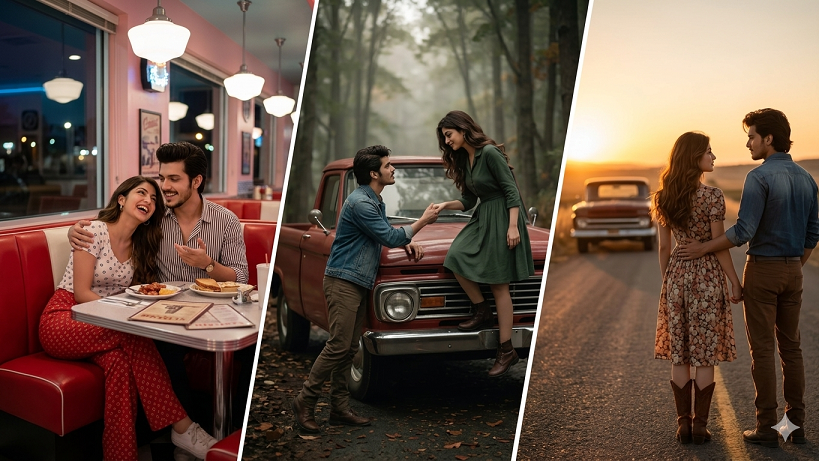
To capture that nostalgic, cinematic vibe, here are several prompts designed for high-end AI image generation. These focus on specific eras, film stocks, and textures to give your portraits an authentic “lost in time” feel.
1. The 1950s Kodachrome Drive-In
Prompt: A photorealistic 1950s cinematic shot of a stylish couple sitting in a vintage red convertible at a drive-in theater. The woman is wearing a polka-dot headscarf and cat-eye sunglasses; the man is in a white t-shirt with rolled sleeves. Warm, saturated Kodachrome colors, slight film grain, soft evening golden hour glow, 8K resolution, highly detailed facial features.
2. 1970s Polaroid Summer
Prompt: A candid, nostalgic Polaroid-style photo of a couple laughing on a sun-drenched beach. 1970s aesthetic: high-waisted denim, crochet tops, and messy hair. The image features authentic vintage imperfections, light leaks, faded warm borders, and a soft-focus matte finish. Rich textures and natural, unposed expressions.
3. 1940s Noir Elegance
Prompt: A dramatic black-and-white 1940s film noir portrait of a couple standing under a streetlamp in the rain. The man wears a classic trench coat and fedora; the woman wears a tailored suit with a birdcage veil. Sharp contrast, deep shadows (chiaroscuro lighting), misty atmosphere, ultra-detailed textures, 35mm film aesthetic.
4. 1990s Grunge Flash Photography
Prompt: A raw, 1990s-style disposable camera shot of a couple at a dimly lit diner booth. Hard direct flash, red-eye effect, slightly blurred background, high grain. They are dressed in oversized flannel shirts and leather jackets. Authentic lo-fi aesthetic, candid “night out” energy, vibrant but messy color palette.
5. 1960s Mod Pop
Prompt: A stylized 1960s London “Mod” era studio portrait. A couple posing in matching geometric patterned outfits. Sharp eyeliner, beehive hairstyle, and a minimalist pastel background. Vivid Technicolor tones, crisp edges, high fashion editorial look, 8K ultra-detailed rendering.
Retro Syle Vintage Couple Photo Editing Prompts
Tips for Best Results:
-
Aspect Ratio: For a cinematic look, use
--ar 16:9. For a classic photo look, use--ar 4:5. -
Film Stock Keywords: Including specific names like Fujifilm, Ektar 100, or Ilford HP5 helps the AI understand the exact color grading and grain structure you want.
-
Lighting: Always specify the light source (e.g., “neon signs,” “dappled sunlight,” or “harsh flash”) to set the mood.