
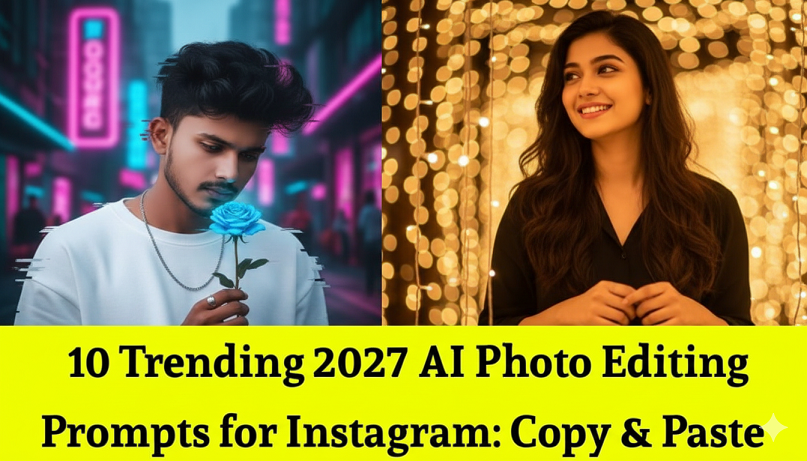
12 Trending 2026 AI Photo Editing Prompts for Instagram: Copy & Paste
In 2026, Instagram aesthetics have moved away from “perfectly polished” toward Hyper-Realism, Vintage Tech, and Surreal Storytelling.
Here are the 10 most trending AI photo editing prompts you can copy and paste into Gemini 3 (using the Nano Banana model) or other AI tools to transform your photos.
1. The “Ideal Partner” Trend (Viral)
This is the #1 trend of early 2026. Users upload a selfie and have AI generate a realistic partner standing beside them.
Prompt: [Upload Selfie] “Edit my photo to add a realistic partner standing next to me. Ensure they match my height and the lighting of the original photo. They should be looking at me with a soft, candid expression. Maintain 100% of my facial features while making the partner look like they were actually in the original shot. Cinematic, natural street style.”
2. 90s “Mall Studio” Retro
The “Yearbook” trend has evolved into high-flash, low-quality 1990s mall photography.
Prompt: [Upload Photo] “Transform this photo into a 1992 mall studio portrait. High-intensity front flash, slightly washed-out colors, and a mottled blue canvas background. Add subtle film grain and a vintage date stamp in the bottom right corner. Outfit should remain the same but with a soft-focus lens effect.”
3. Cinematic “Movie Entry” Scene
Turn a simple walking photo into a high-budget film’s main character introduction.
Prompt: “Edit my uploaded photo into a cinematic movie entry scene. Add a shallow depth of field (f/1.8) so the background is blurred. Apply a teal and orange color grade. Add anamorphic lens flares and a slight motion blur to the background to make it look like a high-speed film still.”
4. “Notes App Chic” (Raw & Honest)
A trend that “owns the mess”—making professional photos look like raw, accidental captures.
Prompt: “Modify this image to look like a raw, unedited smartphone capture. Increase the ‘digital noise,’ slightly overexpose the highlights as if from a phone flash, and add a ‘Notes App’ overlay on the side with handwritten-style text that says ‘Day 12 of 365.’ Keep the subject tack-sharp but the environment messy and real.”
5. The “Squish It” Absurdist Trend
A surrealist trend where objects or subjects are playfully distorted or “squished” by an invisible force.
Prompt: “Apply a ‘squish’ effect to the subject in this photo as if they are being pressed against a glass pane. Create realistic skin/fabric compression and minor distortion. The background should remain perfectly normal to highlight the surrealist contrast. High-detail, 4K resolution.”
6. Golden Hour Glow (Hunyuan Style)
A 2026 favorite for “Viral Couple” or “Solo Aesthetic” posts that mimics the softest possible sunlight.
Prompt: “Enhance this photo with ‘Golden Hour Magic.’ Add a soft, warm lens flare coming from the top corner. Infuse the entire scene with amber tones and lift the shadows to create a dreamy, backlit glow. Ensure the skin texture remains natural with visible pores and realistic highlights.”
7. Cyberpunk “Neon Mythology”
Blending ancient aesthetics with futuristic lighting—popular for high-fashion “Main Character” reels.
Prompt: “Edit this portrait to have a ‘Neon Mythology’ vibe. Keep my face exactly the same but add a glowing holographic crown. Change the background to a rainy Tokyo-style alleyway at night with vibrant pink and blue neon reflections on the wet ground. Cinematic, 8K, highly detailed.”
8. Luxury “Quiet Luxury” Studio
For that “Old Money” editorial look found in high-end magazines.
Prompt: “Convert this photo into a minimalist Vogue-style editorial. Change the background to a solid warm-grey studio wall. Adjust the lighting to ‘Rembrandt lighting’ with soft shadows on one side of the face. Desaturate the colors slightly for a sophisticated, luxury palette. High fashion finish.”
9. “Reality Warp” (Surrealism)
Distorting the environment around the subject while keeping the subject perfectly normal.
Prompt: “Keep the person in the photo 100% unchanged, but warp the environment around them. The trees/buildings should curve and melt into the sky like a Salvador Dalí painting. Use a dreamy, pastel color palette. The contrast between the sharp person and the warped world should be striking.”
10. “Granny Wave” Heritage Remix
A trending maximalist style that mixes traditional Indian heritage with modern high-contrast design.
Prompt: “Reimagine this photo with a ‘Granny Wave’ aesthetic. Add maximalist Indian floral patterns to the background. Enhance the colors to be bold and saturated (marigold orange, emerald green). Add a vintage film texture and soft glow to the jewelry/outfit to make it pop like an old-school Bollywood poster.”
Pro-Tip for Gemini 3 (Nano Banana):
When using these, always add: “Preserve my facial features and identity 100% from the uploaded image” to ensure the AI doesn’t swap your face for someone else’s.