
Creating a “fairytale tulip garden” masterpiece with Google Gemini is about more than just adding flowers; it’s about controlling lighting, texture, and mood.
Whether you are using the Gemini app to edit an existing photo or generating a new image from scratch, these prompts are designed to give you that soft, ethereal “storybook” aesthetic.
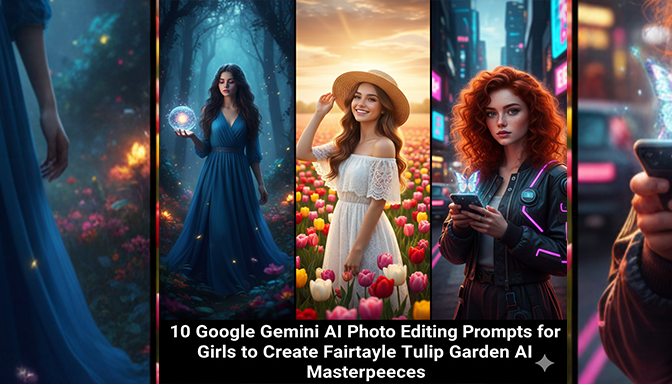
10 Google Gemini AI Photo Editing Prompts for Girls to Create Fairytale Tulip Garden AI Masterpieces
10 Gemini Prompts for Fairytale Tulip Gardens
1. The Classic Storybook Princess
“Transform this photo into a royal fairytale scene. Place the girl in a vast, endless garden of vibrant red and yellow tulips. Give her a flowing, high-quality satin gown in a soft cream color. Add a delicate floral crown on her head and warm, golden sunlight filtering through a soft morning mist. High-definition cinematic style.”
2. Dreamy Pastel Wonderland
“Edit this image into a pastel-toned tulip paradise. The background should be filled with soft pink, lavender, and peach tulips. Add a dreamy bokeh effect to the flowers in the foreground. Ensure the lighting is soft and ambient, making the girl appear angelic with a natural, dewy glow on her skin.”
3. The Floral Goddess
“Create an ethereal portrait where the girl is a ‘Tulip Goddess.’ Her dress should be made of iridescent flower petals. Surround her with glowing tulips that emit a soft light. Add magical sparkles and floating petals in the air. The atmosphere should be mystical and moonlit with soft purple and blue hues.”
4. Golden Hour Glow
“Enhance this photo with a sunset tulip garden background. Use deep orange, fiery red, and golden tulips. Add a strong backlight from the setting sun, creating a ‘rim light’ effect around the girl’s hair and silhouette. The sky should be a gradient of pink and gold with soft, fluffy clouds.”
5. Vintage Cottagecore Aesthetic
“Transform the background into a rustic, countryside tulip garden. Use muted, vintage colors like sage green, dusty rose, and cream. The girl should wear a linen dress with lace details. Add a grainy film texture, soft shadows, and a warm, nostalgic 90s movie vibe.”
6. The Secret Garden Path
“Edit the photo so the girl is walking down a stone path lined with tall, elegant tulips on both sides. In the distance, show a faint, blurry silhouette of a fairytale castle or a small stone cottage. Use a shallow depth of field to keep the focus sharp on her expression.”
7. Enchanted Forest Blend
“Place the girl at the edge of a mystical forest where the grass is replaced by a thick carpet of white and blue tulips. Add ‘god rays’ (sunbeams) breaking through thick tree canopies. The lighting should be high-contrast with deep greens and bright floral highlights.”
8. Rainy Spring Romance
“Create a ‘rainy day’ fairytale look. The tulips should look fresh and wet with visible water droplets. Add a soft, hazy fog in the background and a gentle grey-blue sky. The girl should have a serene expression, with the lighting being cool and soft.”
9. Butterfly Magic
“Edit a vibrant tulip garden scene where dozens of colorful, glowing butterflies are fluttering around the girl. The tulips should be multi-colored. Use a wide-angle cinematic shot to capture the scale of the garden, making it feel like a grand opening scene of a movie.”
10. The Close-Up Bloom
“Focus on a cinematic close-up. The girl is peeking through a cluster of giant, oversized tulips. Use an extreme bokeh effect for the background. Her eyes should be the focal point, reflecting the bright colors of the garden. Add a soft-focus ‘dream’ filter over the entire image.”
Tips for the Best Results in Gemini
-
Upload a High-Res Base: If you are editing an existing photo, ensure your face is clear. Gemini works best when it can distinguish the subject from the background.
-
Specify Colors: Don’t just say “flowers.” Say “lavender and peach tulips” to guide the AI’s color palette.
-
Mention the Dress: AI often defaults to basic clothing. Specifying “flowing chiffon” or “silk gown” helps sell the fairytale look.
-
Face Preservation: If using the editing feature, always add the phrase “Keep the girl’s face exactly as the original photo” to avoid the AI altering your features.
10 Google Gemini AI Photo Editing Prompts for Girls to Create Fairytale Tulip Garden AI Masterpieces