
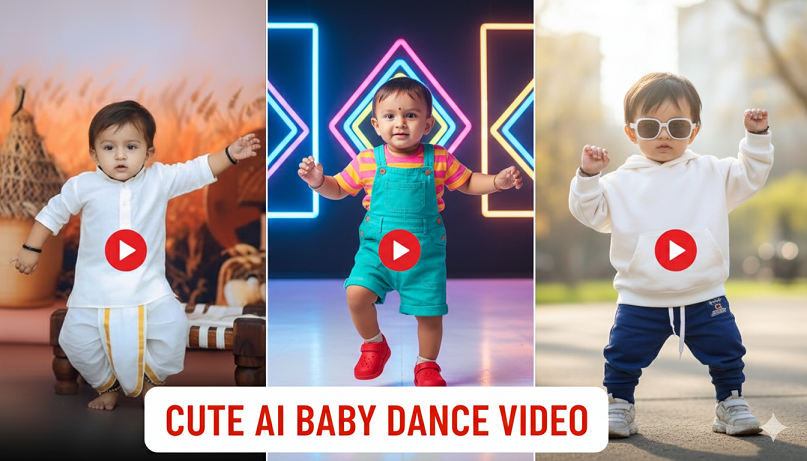
20 Best AI Editing Prompts and Websites That Instantly Turn Kids Dancing Videos Into Viral Magic
In 2026, the secret to viral kids’ dancing videos is Motion Transfer AI. This technology allows you to take a photo of a child (or a video of them dancing) and “wrap” it onto professional choreography, or add high-end cinematic effects that make it look like a big-budget production.
Here are the 20 best AI prompts and the top websites to create that viral magic.
Part 1: Top AI Video Editing Websites (2026)
| Tool | Best For… | Viral Feature |
| Viggle AI | Character Animation | Swaps anyone’s photo onto viral TikTok dance templates. |
| Kling AI | Cinematic Realism | The “Motion Brush” lets you animate specific parts of a video with physics. |
| PixVerse | Hyper-Real Styles | Features an “AI Dance Revolution” filter for instant pro moves. |
| Luma Dream Machine | Realistic Physics | Best for extending a 5-second clip into a 30-second viral story. |
| DomoAI | Anime & Stylized Looks | Instantly turns a real video into a high-quality Ghibli or Pixar animation. |
| CapCut (AI Mode) | Sync & Effects | Best for “Auto-Beat Sync” and AI body-outline effects. |
| MindVideo AI | Mimic Motion | Specifically designed for transferring professional dance moves to a kid’s photo. |
| Vidnoz AI | Quick Social Reels | High-speed processing for “Dancing Baby” and “Talking Photo” memes. |
Part 2: 20 Prompts for Viral Magic
These prompts are designed for Image-to-Video or Video-to-Video tools (like Kling, Runway, or PixVerse).
The “Professional Dancer” Prompts
-
The K-Pop Idol: “Transform this kid into a professional K-pop dancer on a neon-lit stage. Hyper-realistic movements, sharp synchronization, and cinematic stage lighting.”
-
The Breakdance Master: “Apply a high-energy breakdance choreography to this subject. Add realistic dust particles on the floor and dynamic camera shakes on every beat drop.”
-
The Ballerina in the Forest: “Animate this child as a graceful ballerina dancing in a misty, ethereal forest. Use soft-focus bokeh and volumetric sunbeams.”
-
The Broadway Star: “Apply a theatrical jazz dance routine. Add a spotlight that follows the dancer and falling gold confetti that reacts to the movement.”
The “Cartoon & Fantasy” Prompts
-
Disney/Pixar Style: “Convert this dancing video into a 3D Pixar-style animation. Keep the child’s facial features but give them expressive, oversized eyes and smooth 3D textures.”
-
The Superhero Landing: “Edit the video so every time the child jumps, they land with a superhero ‘ground-smash’ effect with glowing blue energy cracks.”
-
Dancing with a 3D Mascot: “Add a hyper-realistic 3D teddy bear that mimics every dance move the child makes, standing right next to them.”
-
The Ghibli Aesthetic: “Turn this video into a Studio Ghibli hand-drawn animation with lush green backgrounds and a nostalgic summer vibe.”
The “Viral Visual Effects” Prompts
-
Liquid Neon Outline: “Add a glowing liquid neon outline that trails the child’s limbs as they move. The color should shift from cyan to magenta based on the speed of the dance.”
-
The Shadow Clone: “Create three transparent ‘shadow clones’ that follow the child’s movements with a 0.5-second delay, creating a beautiful trailing effect.”
-
Gravity Defier: “Slow down the video at the peak of every jump, making the child hover in mid-air while their clothes and hair continue to flutter realistically.”
-
The Floor is Lava: “Use AI to transform the floor into glowing lava that ripples and splashes whenever the child steps or dances on it.”
The “Cinematic & Mood” Prompts
-
Retro 90s Music Video: “Apply a VHS grainy texture, light leaks, and a 4:3 aspect ratio. Add ‘MTV’ style graphics and fish-eye lens distortion.”
-
Rainy Night Street: “Place the child on a Tokyo street at night. Add realistic puddles that reflect the neon signs and water droplets that spray off their shoes during fast moves.”
-
The Golden Hour Selfie: “Convert the video into a handheld selfie-style shot with intense golden hour sunlight and realistic lens flares.”
-
Cyberpunk 2077 Vibe: “Add digital ‘glitch’ transitions and holographic interfaces floating around the dancer that react to the music.”
The “Meme & Humor” Prompts
-
The Corporate Office Prank: “Change the background to a serious corporate boardroom. The child should be dancing on the table while ‘blurred’ serious businessmen look on in confusion.”
-
The Toddler Bodybuilder: “Apply a subtle ‘Muscle Pro’ AI filter that makes the child look like a mini bodybuilder while performing a funny ‘shuffle’ dance.”
-
Space Disco: “Transform the background into a 1970s disco in outer space. The child should be dancing on a floating colorful LED tile floor with Saturn in the background.”
-
The Impossible Flip: “AI-edit the video to make the child perform a perfect backflip during the chorus, maintaining realistic physics and clothing movement.”
Pro-Tip for 2026:
To ensure your video goes viral, use CapCut to add the trending audio after you’ve generated the AI video. AI generators sometimes struggle with perfect audio sync, so manually aligning the “beat drops” in a traditional editor is the final step to “Viral Magic.”