
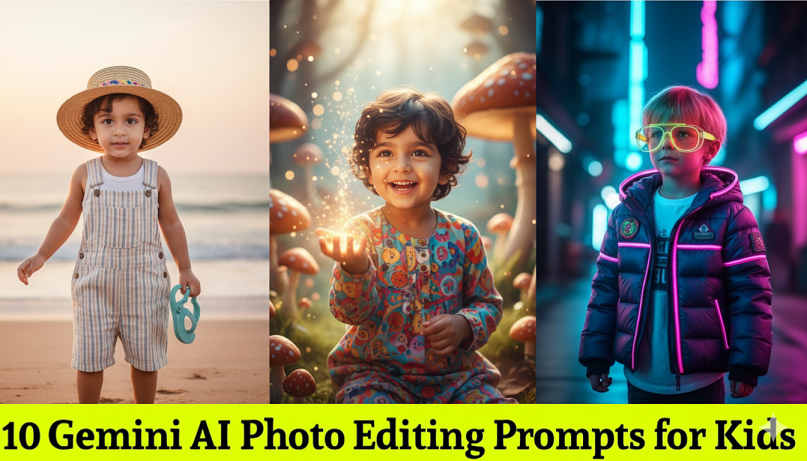
Editing photos of kids requires a delicate balance of creativity, safety, and maintaining their natural charm. In 2026, the trend has moved toward Magical Realism and Themed Cosplay while keeping the child’s identity perfectly preserved.
Here are 10 viral Gemini AI photo editing prompts for kids.
1. The “Little Explorer” (Adventure Style)
Prompt: Enhance this child’s photo into an adventurous outdoor scene. Dress the child in a miniature khaki explorer outfit with a small hat. Background is a lush, vibrant jungle with friendly, soft-textured cartoon-style animals. Warm sunlight filtering through leaves, 8K resolution, keep the face exactly the same.
2. The “3D Pixar Character” (Animated Style)
Prompt: Transform the child in this photo into a high-quality 3D animated character in the style of a modern Pixar movie. Smooth out the skin while keeping facial features recognizable. Large expressive eyes, vibrant colors, and a soft-lit bedroom background with toys.
3. The “Fairytale Prince/Princess” (Royal Style)
Prompt: Edit this photo to dress the child in a royal velvet outfit with gold embroidery and a tiny sparkling crown. Change the background to a soft-focus magical castle balcony at sunset. Use dreamlike golden-hour lighting and preserve the child’s natural smile.
4. The “Mini Superhero” (Action Style)
Prompt: Create a heroic edit of this child wearing a custom-designed superhero suit with a flowing cape. The setting is a bright, stylized city rooftop at dusk. Add a subtle cinematic glow around the child and dynamic lighting, keeping the child’s face and proportions realistic.
5. The “Astronaut in Training” (Space Style)
Prompt: Edit the child into a realistic silver space suit standing in front of a giant starship window. The window shows a colorful glowing nebula and stars. Apply a cool blue rim light to the child’s silhouette, 8K ultra-realistic textures, but keep the facial expression unchanged.
6. The “Wizard School Student” (Fantasy Style)
Prompt: Transform the child into a student at a magical wizarding school. Add a striped scarf and a small wooden wand. The background is a cozy, candlelit library with floating books. Warm, orange-toned lighting, cinematic “Harry Potter” aesthetic.
7. The “Winter Wonderland” (Holiday Style)
Prompt: Change the background of this photo to a snowy, magical winter village with twinkling fairy lights. Dress the child in a cozy, chunky-knit sweater and a pom-pom beanie. Add gentle falling snow and a soft pastel color grade.
8. The “Cute Forest Elf” (Whimsical Style)
Prompt: Edit the child to have small, subtle elf ears and a crown made of forest wildflowers. The setting is an enchanted woods with glowing butterflies and soft mossy ground. Dreamy, ethereal lighting, high-detail nature textures.
9. The “Future Rockstar” (Vibrant Style)
Prompt: Create a cool musician edit. Place a small acoustic guitar in the child’s hands and change the background to a colorful, neon-lit stage. Use bright, high-energy highlights and a shallow depth of field (bokeh).
10. The “Vintage Polaroid” (Nostalgic Style)
Prompt: Apply a 1990s vintage film aesthetic to this photo. Add a classic white Polaroid border. Use slightly faded colors, soft film grain, and a “flash photography” look. Keep the setting in a cozy, natural home environment.
💡 Tips for Safely Editing Kids’ Photos:
-
Identity Preservation: Always include the phrase “Keep the face and identity exactly the same” to prevent the AI from generating a different-looking child.
-
Positive Phrasing: Describe what you want (e.g., “bright lighting”) rather than what you don’t want.
-
Style Matters: For younger children, “Illustration” or “Cartoon” styles often look more natural and “cute” than hyper-realistic edits.
12 Gemini AI Photo Editing Prompts for Kids